Create Auth Provider
info
Plinqx uses this Auth Provider to securely authenticate internal API calls to the Salesforce Metadata API. This ensures a seamless and secure integration between Plinqx and Salesforce, following best practices for authentication and authorization.
It enables Plinqx to retrieve and manage metadata configurations, ensuring that API-related changes are applied consistently across the platform. This authentication mechanism is essential for deploying updates, managing API metadata, and maintaining a secure connection between Plinqx and Salesforce.
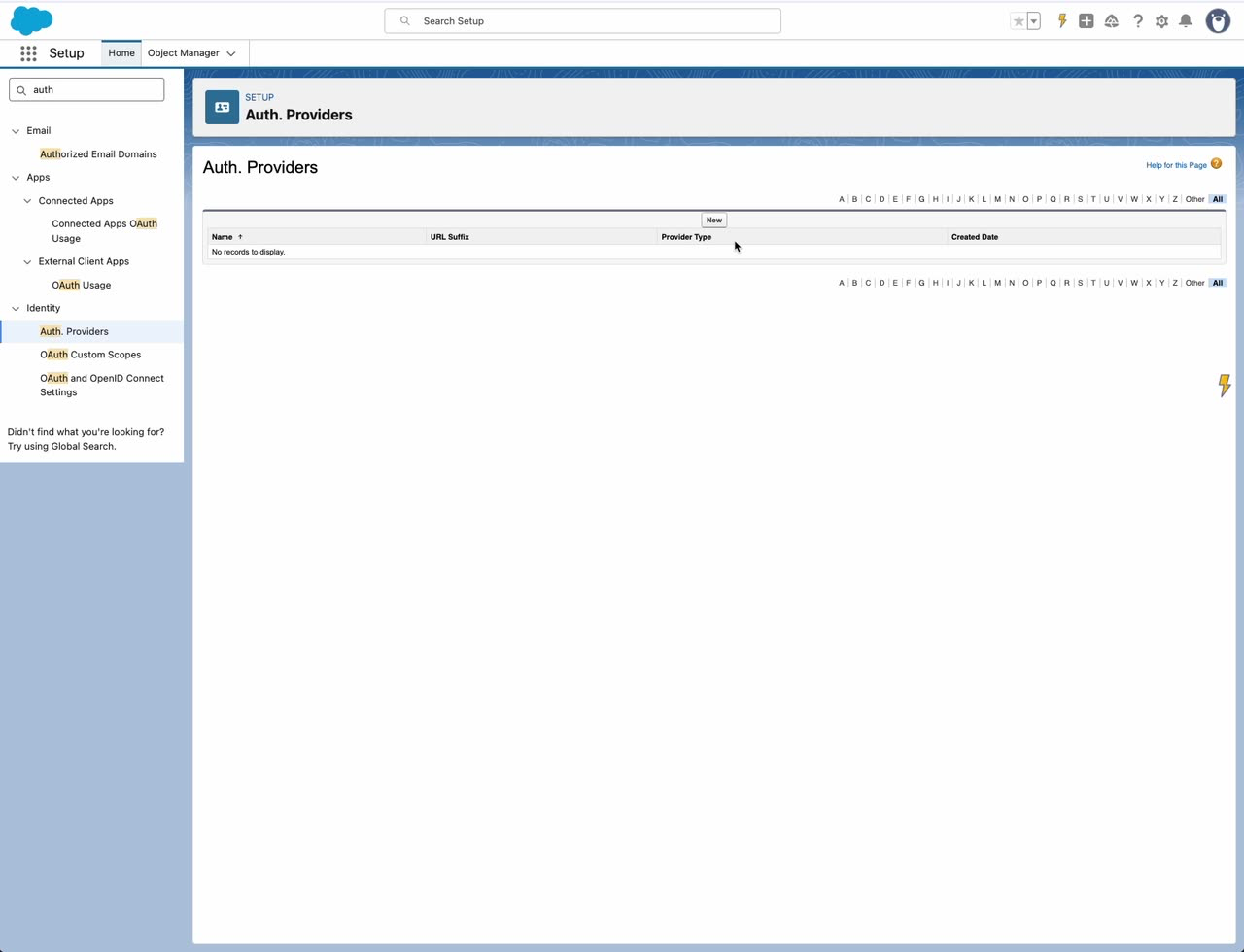
Step 1: Open Auth Providers
- Open Setup.
- In Quick Find, search for and select Auth. Providers.
Step 2: Create the Auth Provider
- Click New.
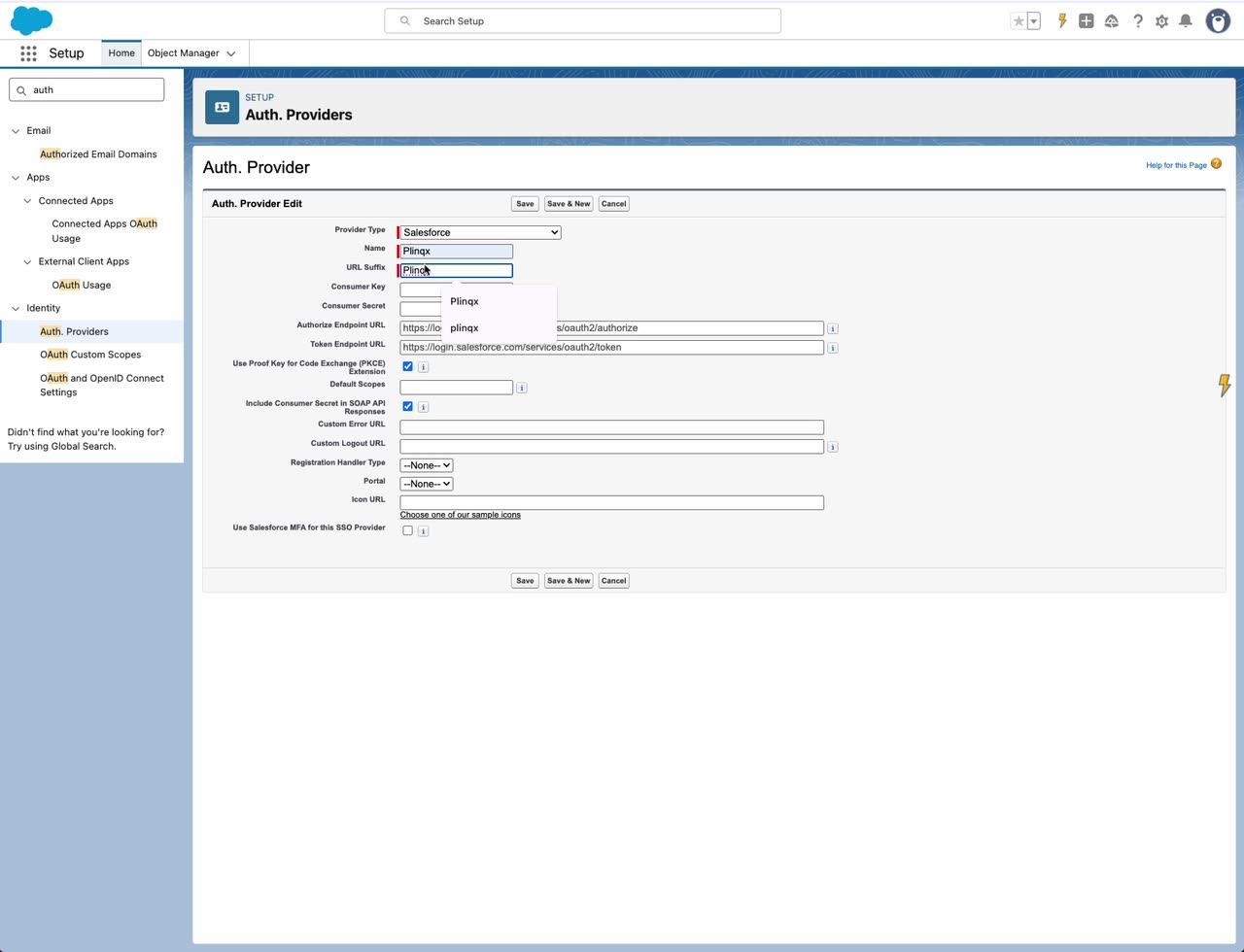
- Configure the Authentication Provider (example):
- Provider Type: Salesforce
- Name:
Plinqx - URL Suffix:
Plinqx - Consumer Key / Consumer Secret: copy from the External Client App
- Default Scopes:
refresh_token full
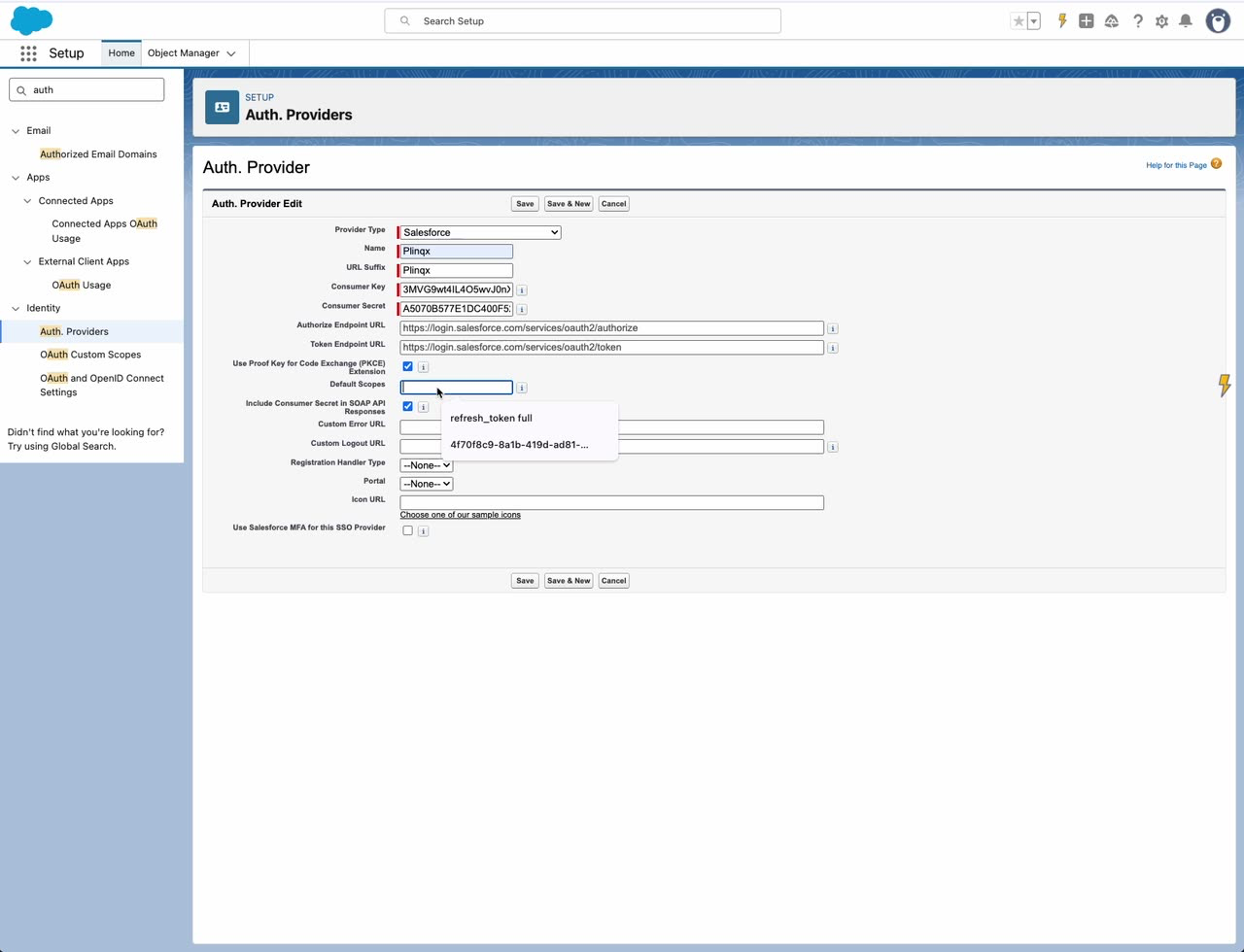
- Click Save.