POST Example
This tutorial shows how to create an Inbound API Service using HTTP POST in Plinqx Publisher, parse an incoming JSON payload in a Flow, create or update an Account record, return a JSON response, and validate execution via Transactions.
Overview
You will:
- Create an inbound POST API in Publisher
- Parse a JSON payload in a Flow
- Create or update an Account record
- Return a JSON response
- Verify results in Transactions
Steps
Step 1: Create API Service
Procedure
- Access the Plinqx Publisher.
- Create a new API service with an HTTP POST method.
- Link the API to your Flow.
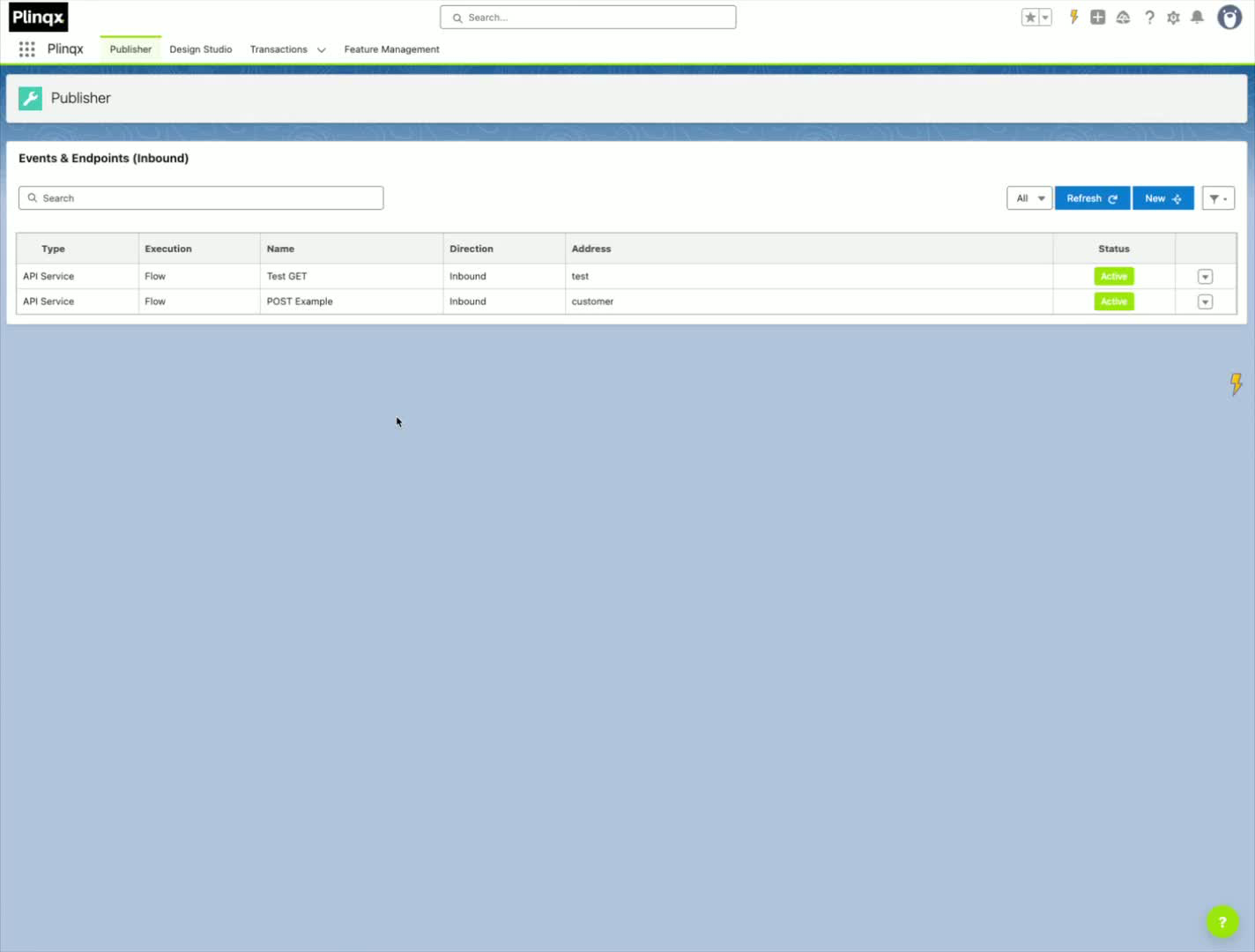
Step 2: Configure API Details
Procedure
- Provide a name, category, and description for the API.
- Set the endpoint (for example,
Customer). - Optionally, add multiple URI paths if needed.
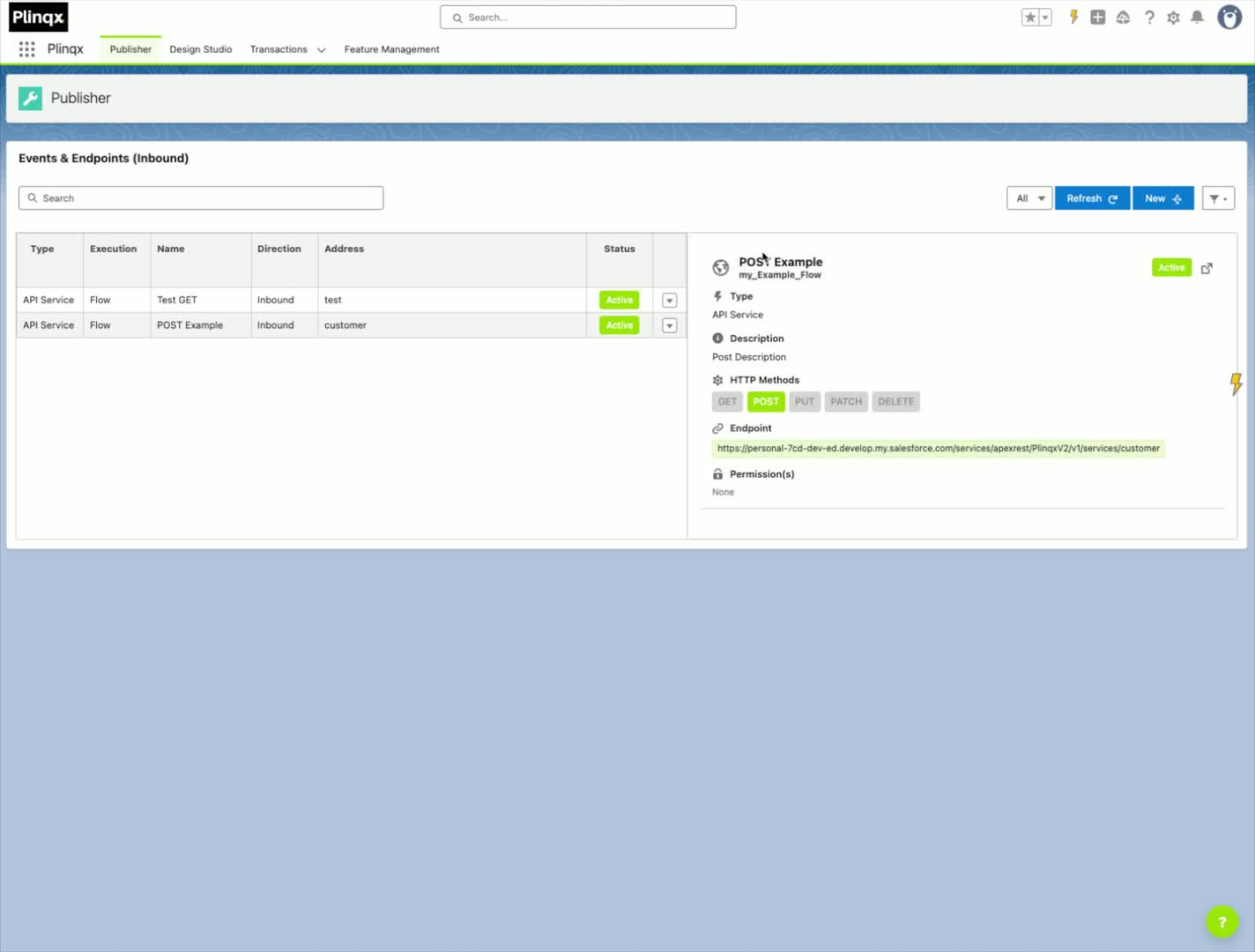
Step 3: Set Up Payload and Flow
Procedure
- Ensure the Flow is activated.
- Set the payload type to Flow.
- Select your flow from dropdown OR create a new using the New Flow option.
- Once deployed open your flow.
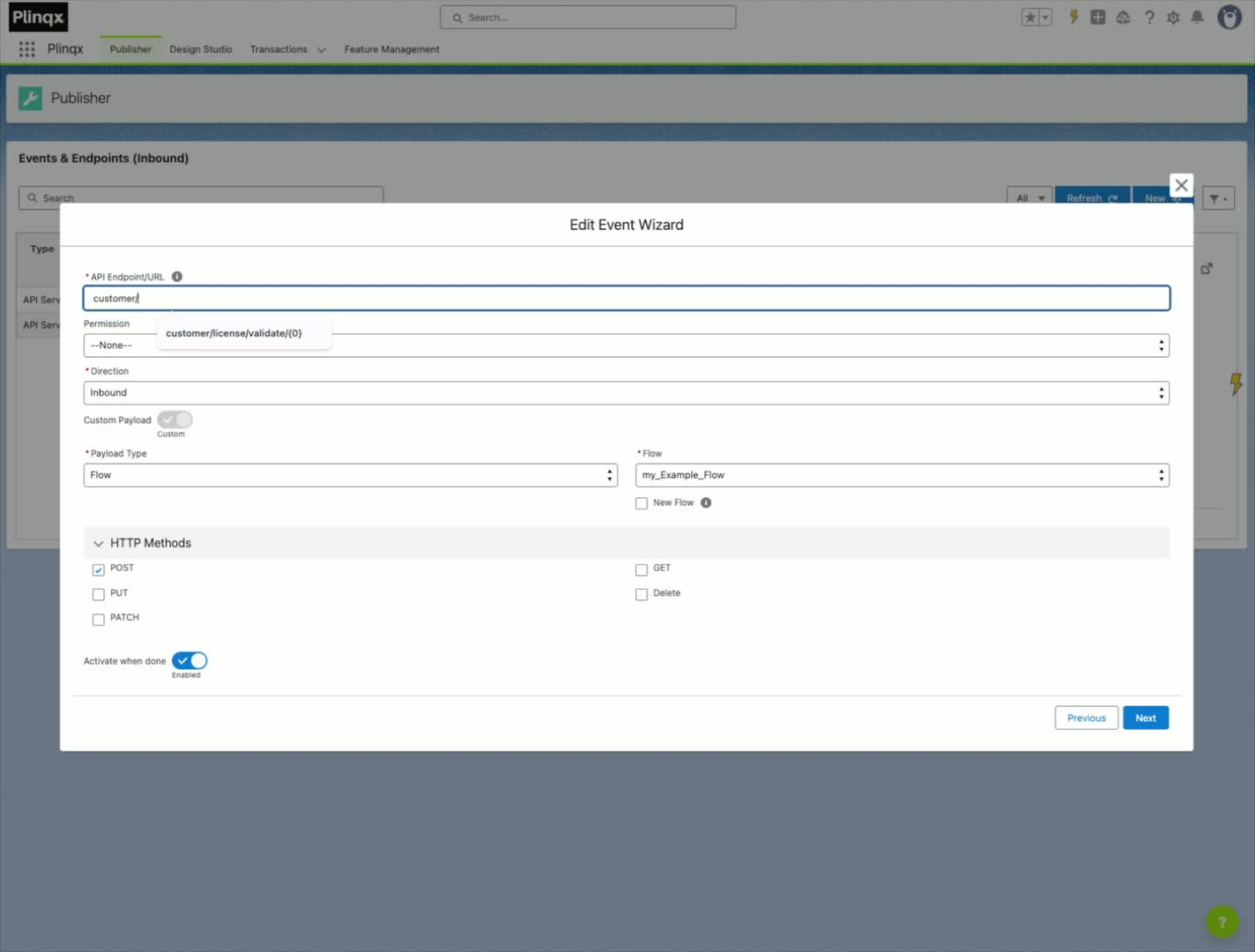
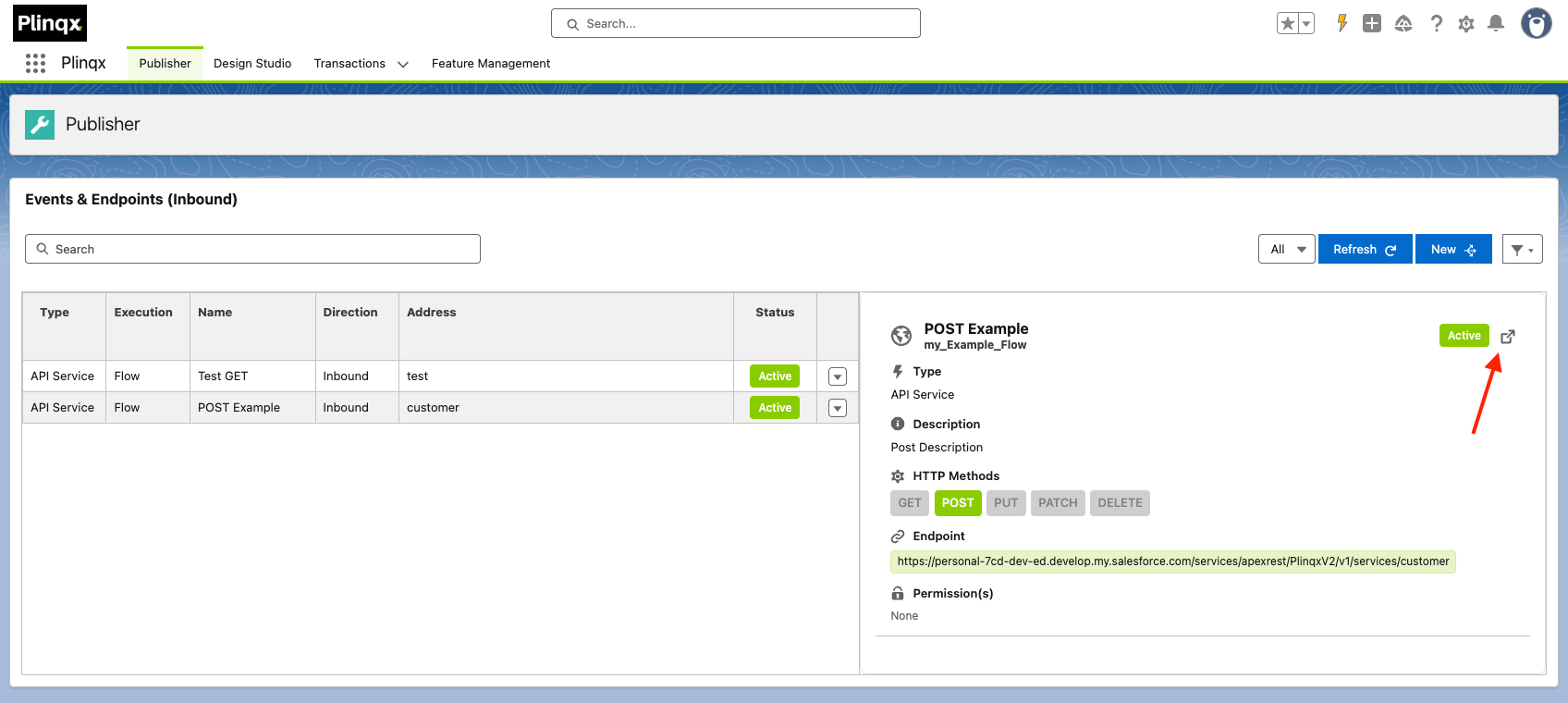
Step 4: Parse Request Body
Procedure
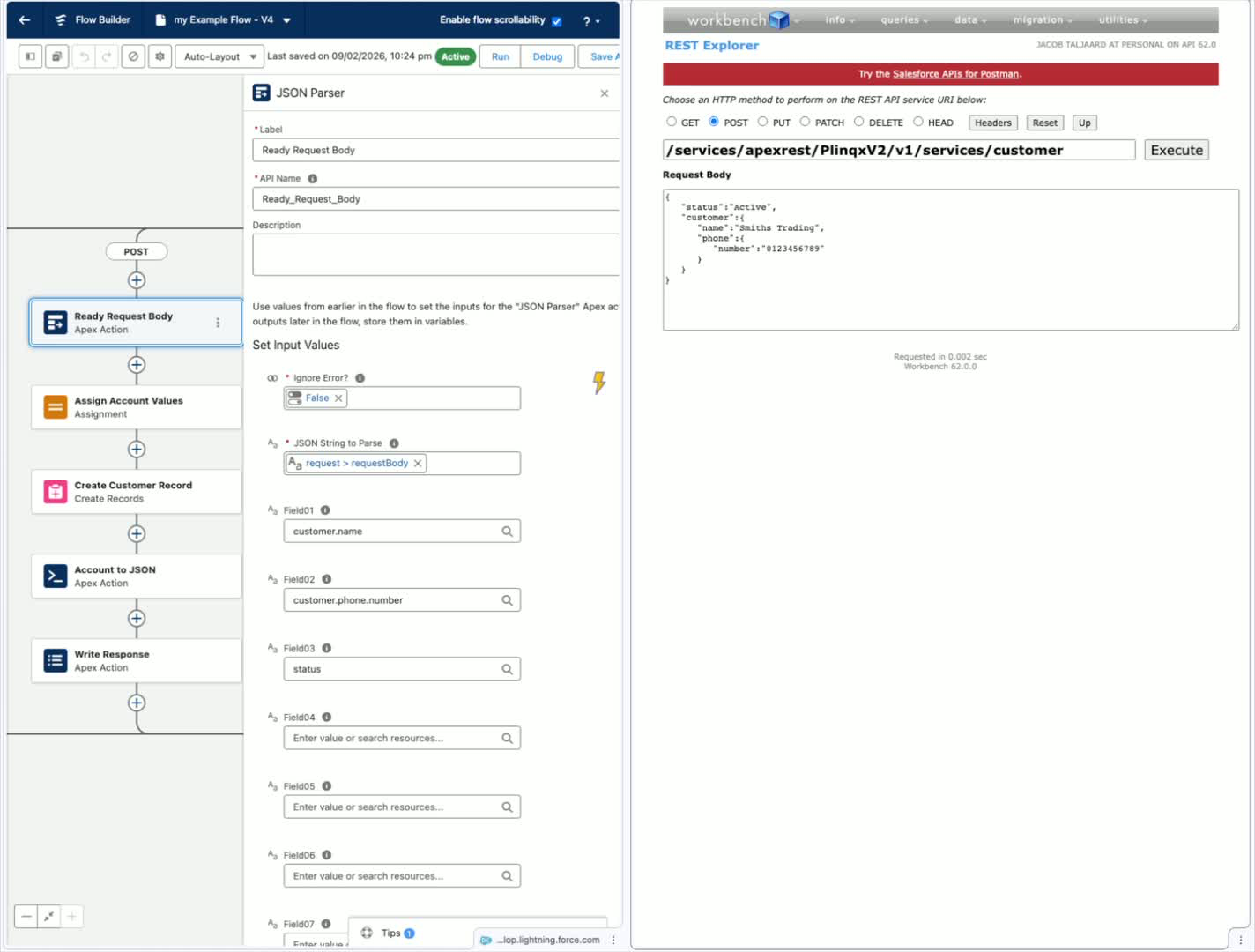
- Use the endpoint to post data.
- Set the JSON body to be parsed.
Step 5: Configure JSON Parsing
Procedure
- Set the first parameter to ignore errors as false - we want to catch any errors for invalid JSON data.
- Read the following fields from the request body:
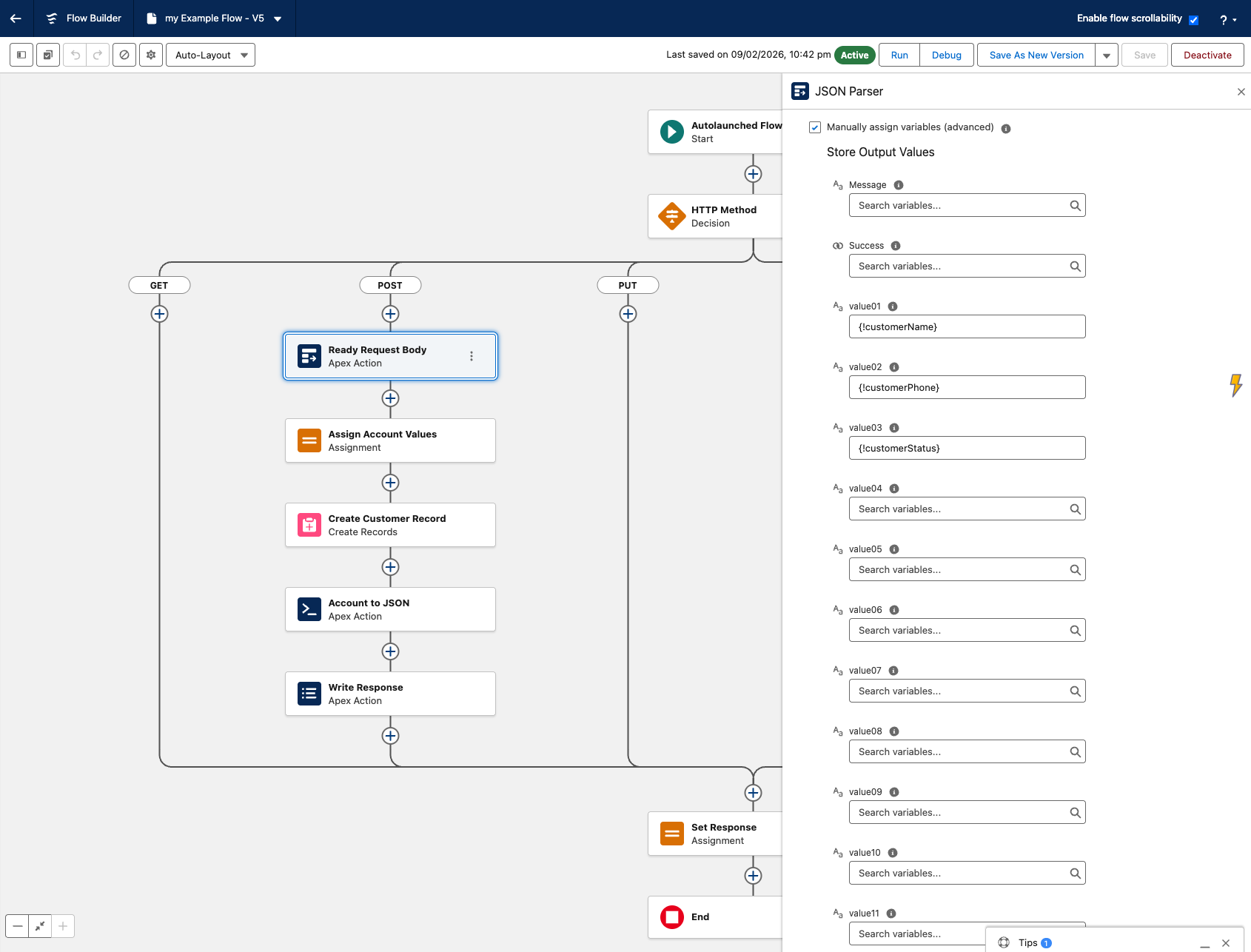
Customer.NameCustomer.Phone.NumberStatus
Step 6: Assign Values to Variables
Procedure
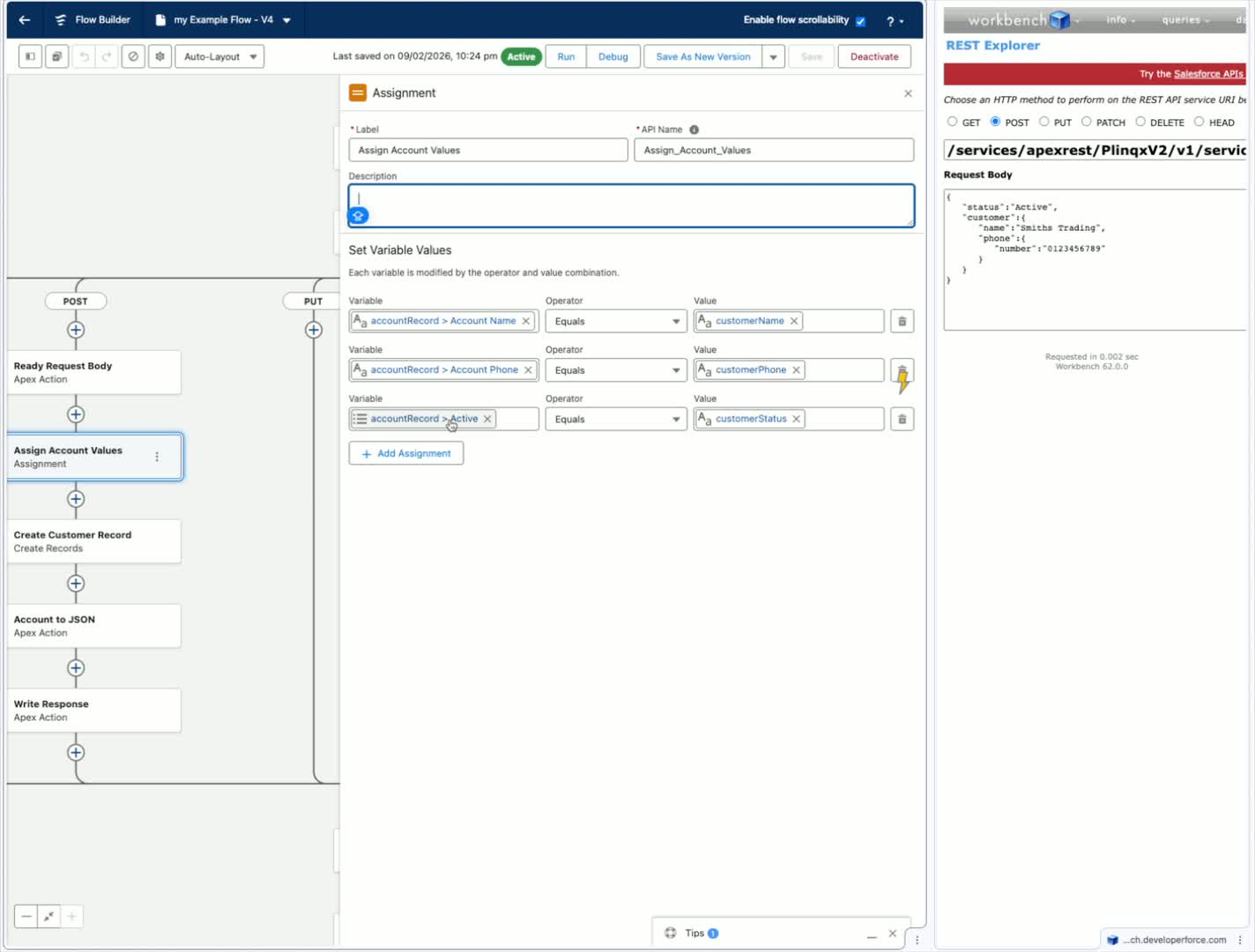
- Assign the parsed values to variables:
Field01 -> Customer.NameField02 -> Customer.Phone.NumberField03 -> Status
Step 7: Create or Update Account Record
Procedure
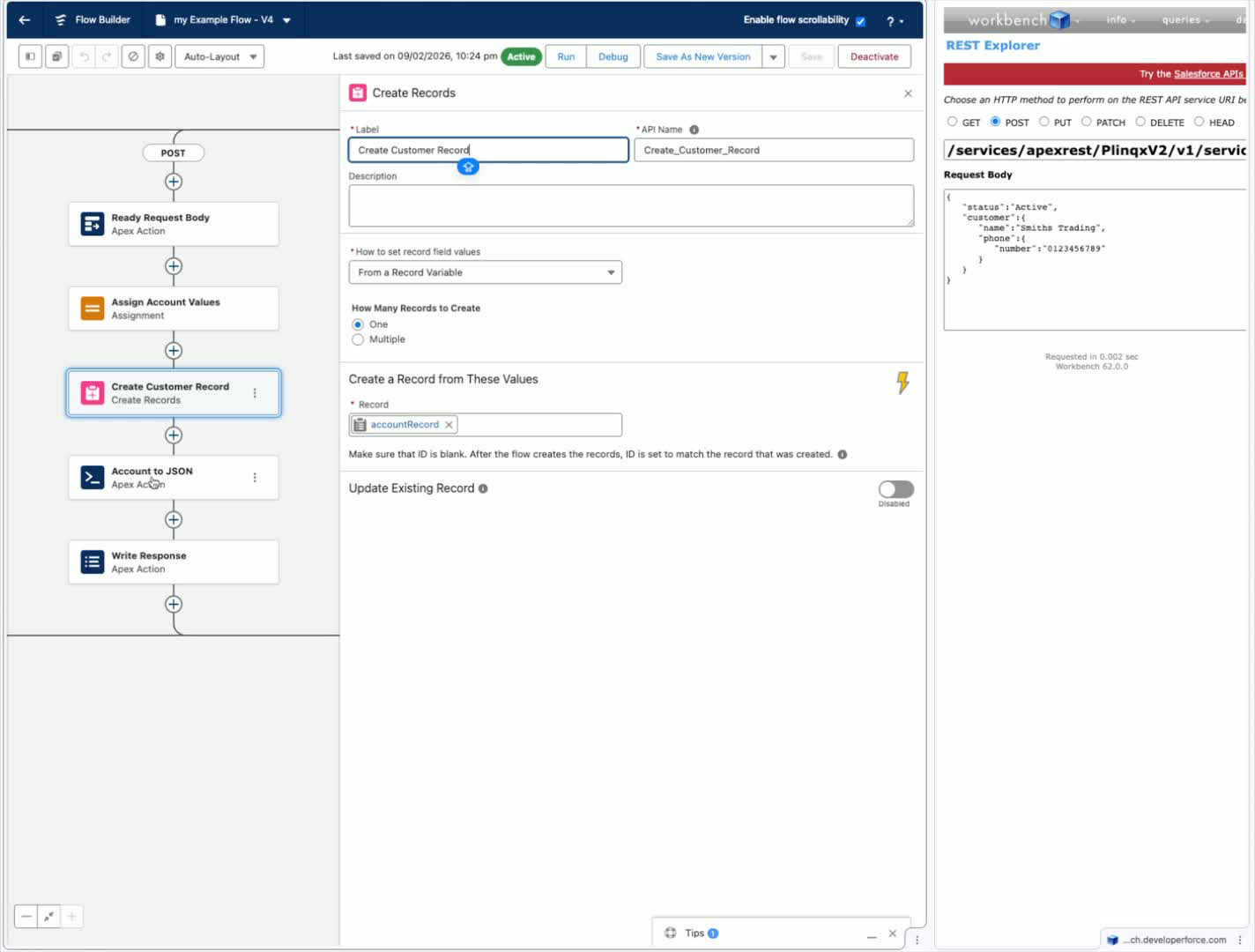
- Assign the parsed output variables to your Account variable record.
- Create your account (This can also be an update if you are doing updates through your POST)
Step 8: Prepare JSON Response
Procedure
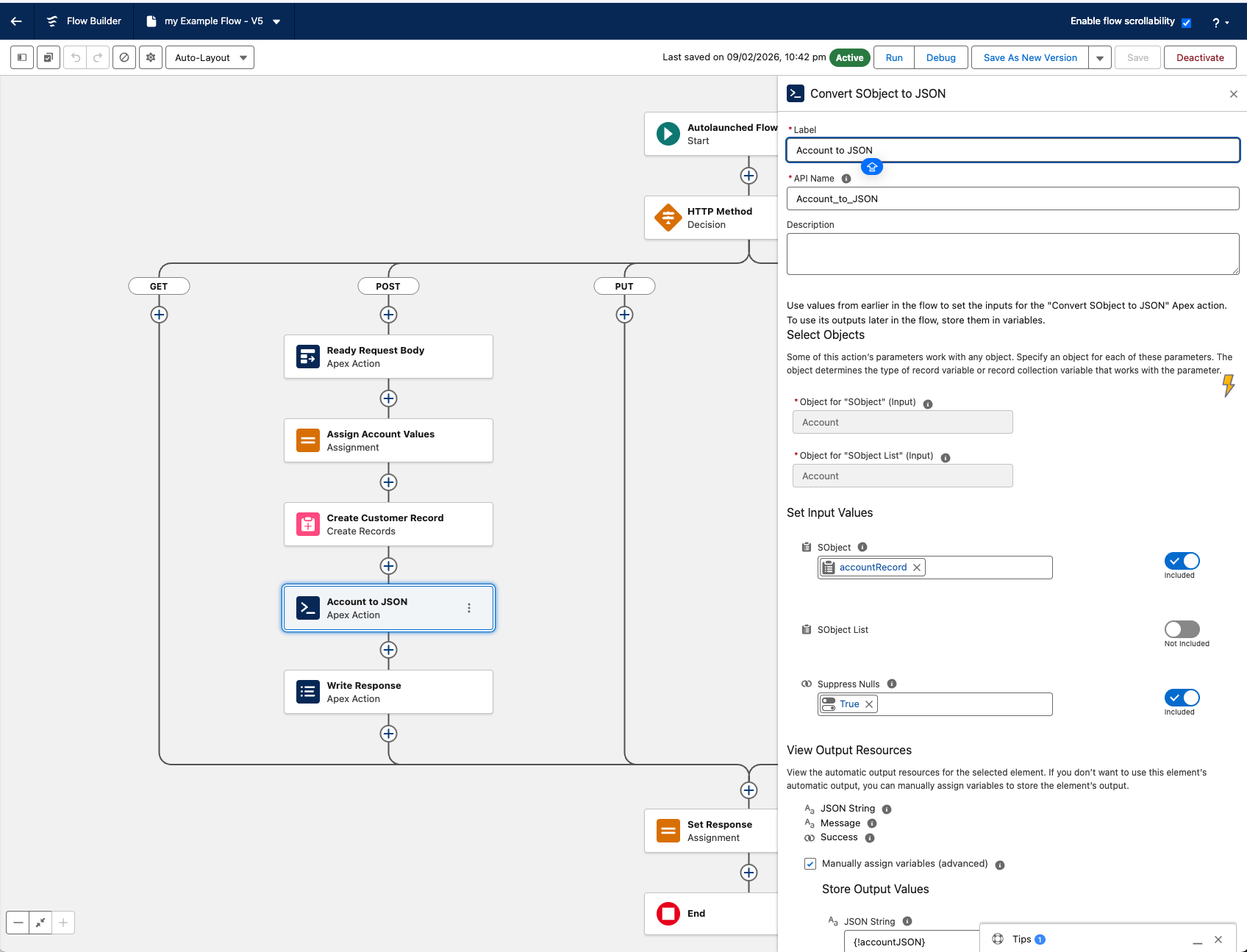
- Create a JSON object for the response.
- Convert the created Account to JSON.
Step 9: Write Response Body
Procedure
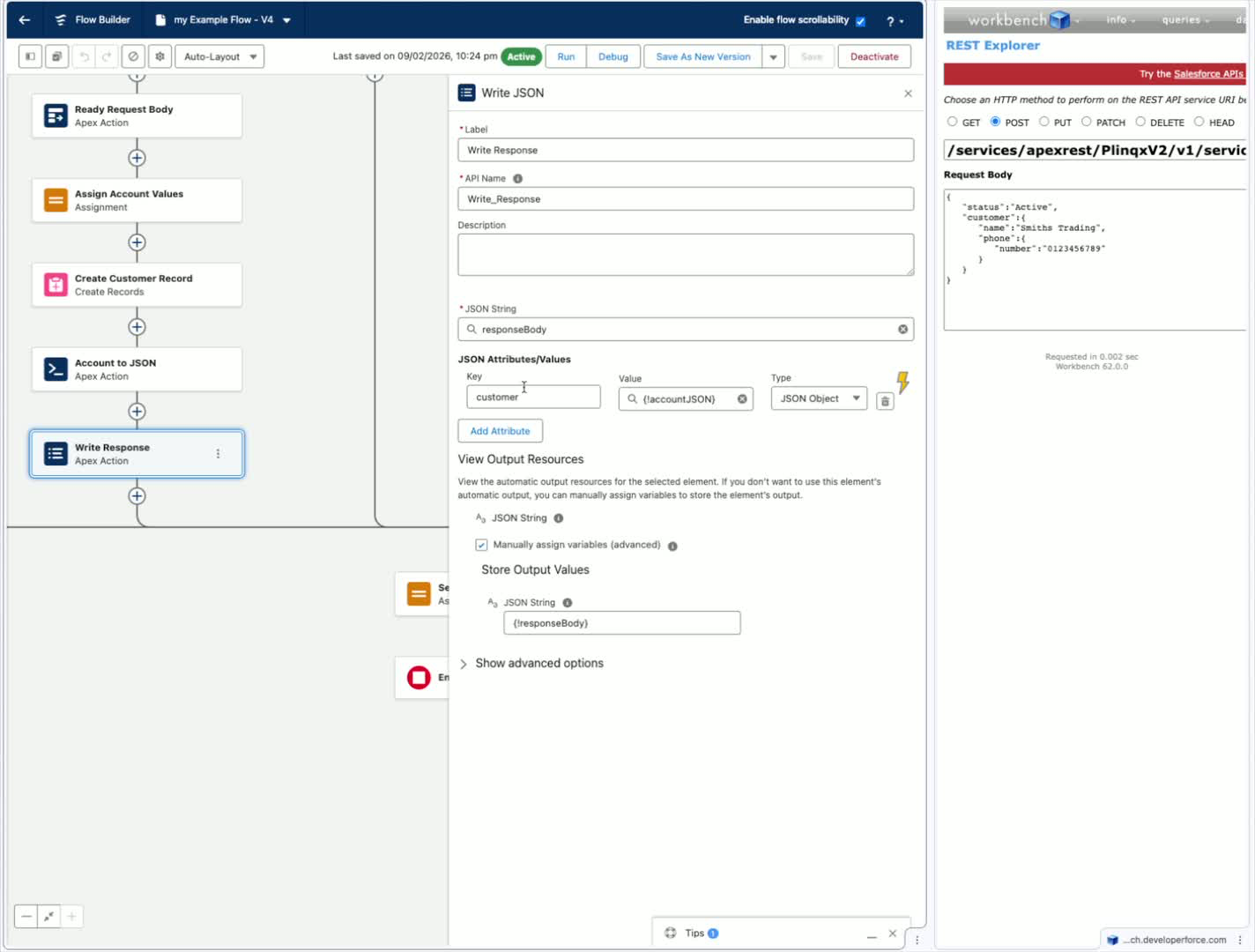
- Write the response back to the API using the response body variable.
- Ensure the response body is defined as an empty JSON object ().
Step 10: Send Response
Procedure
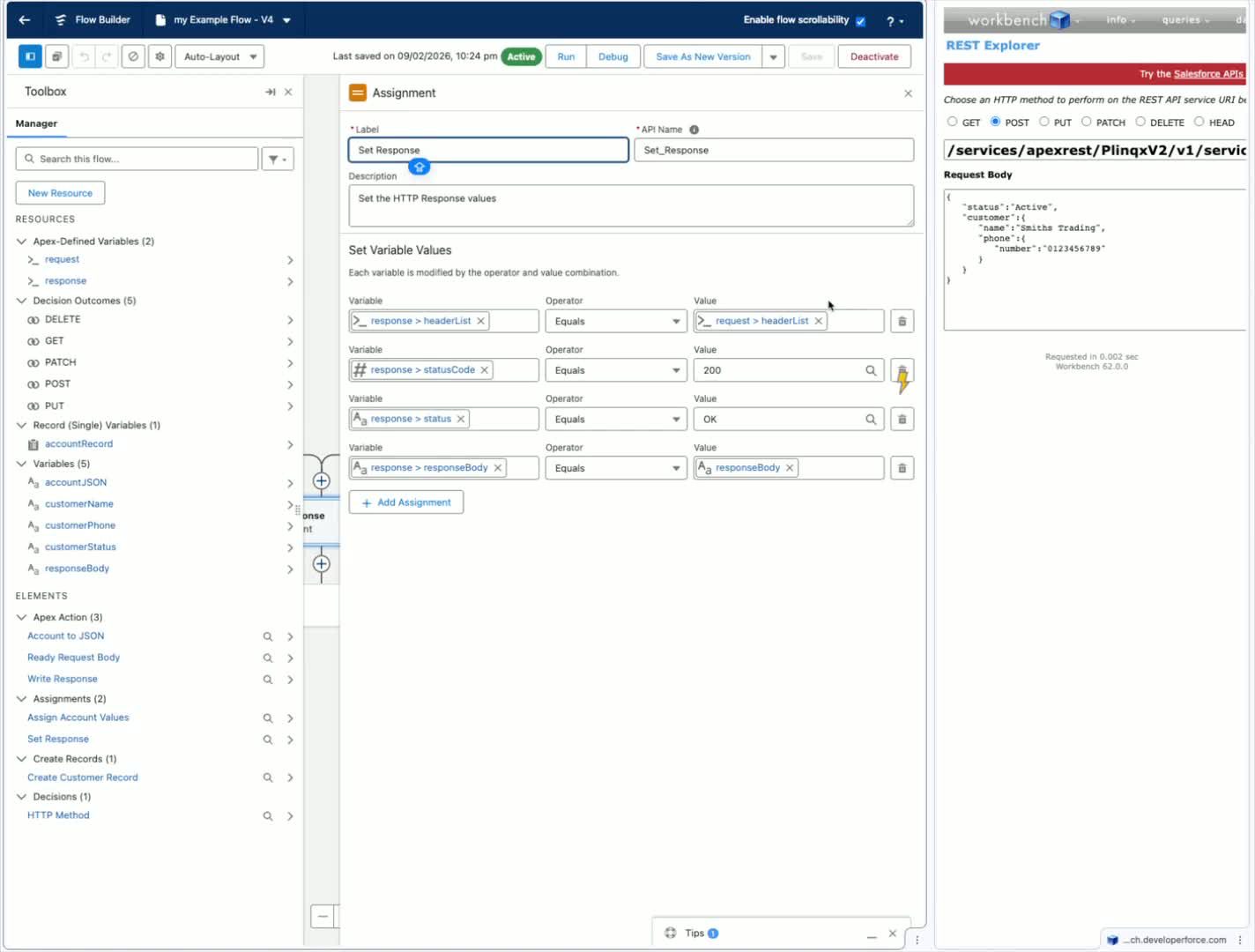
- Respond with a 200 status code and an OK status.
- Include the response body in the API response.
Step 11: Test the API
Procedure
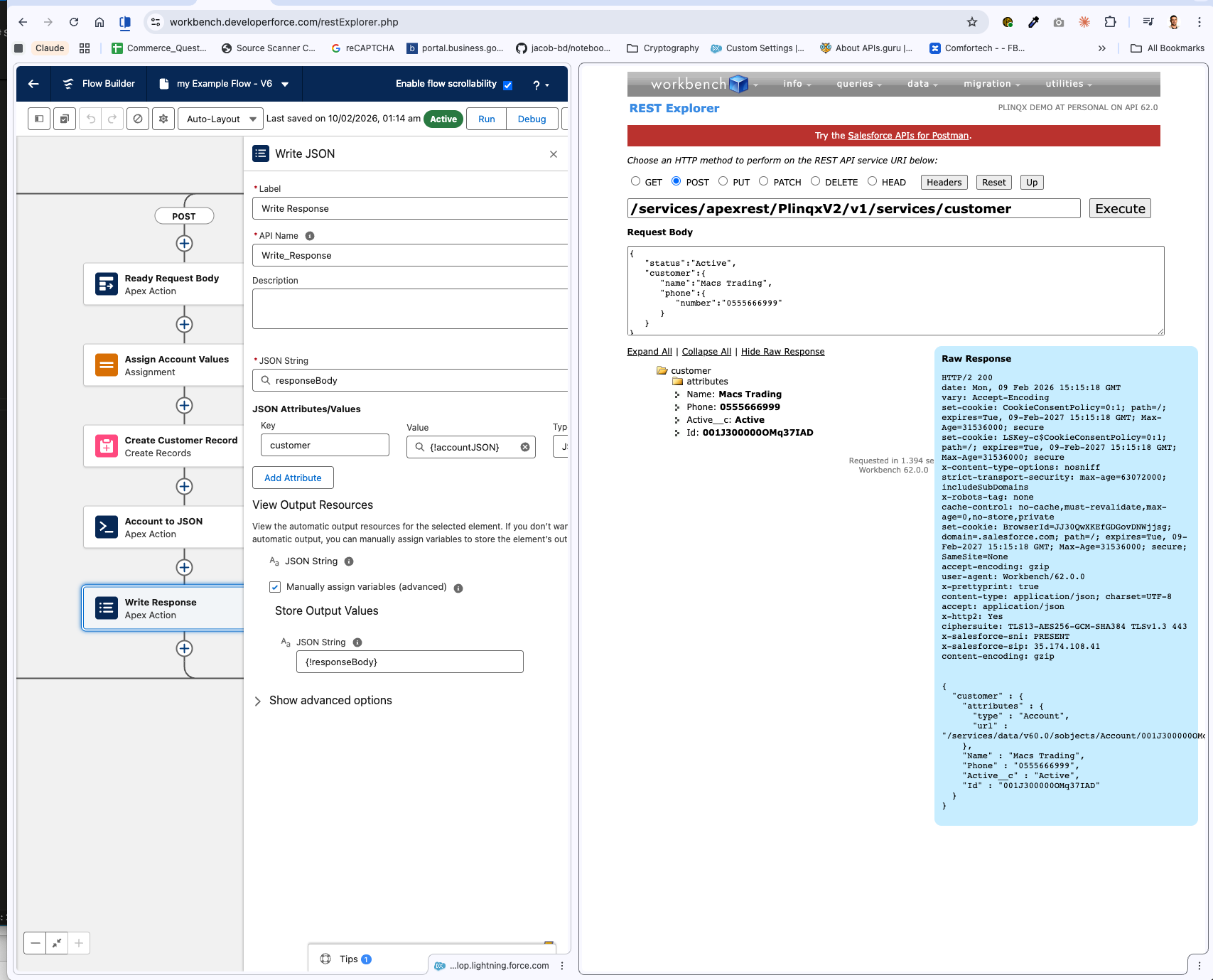
- Test the API by sending a request with account details.
- Verify the response and inspect the raw response.
Step 12: Verify Account Creation
Procedure
- Check Accounts to confirm the new Account has been created with the provided details.
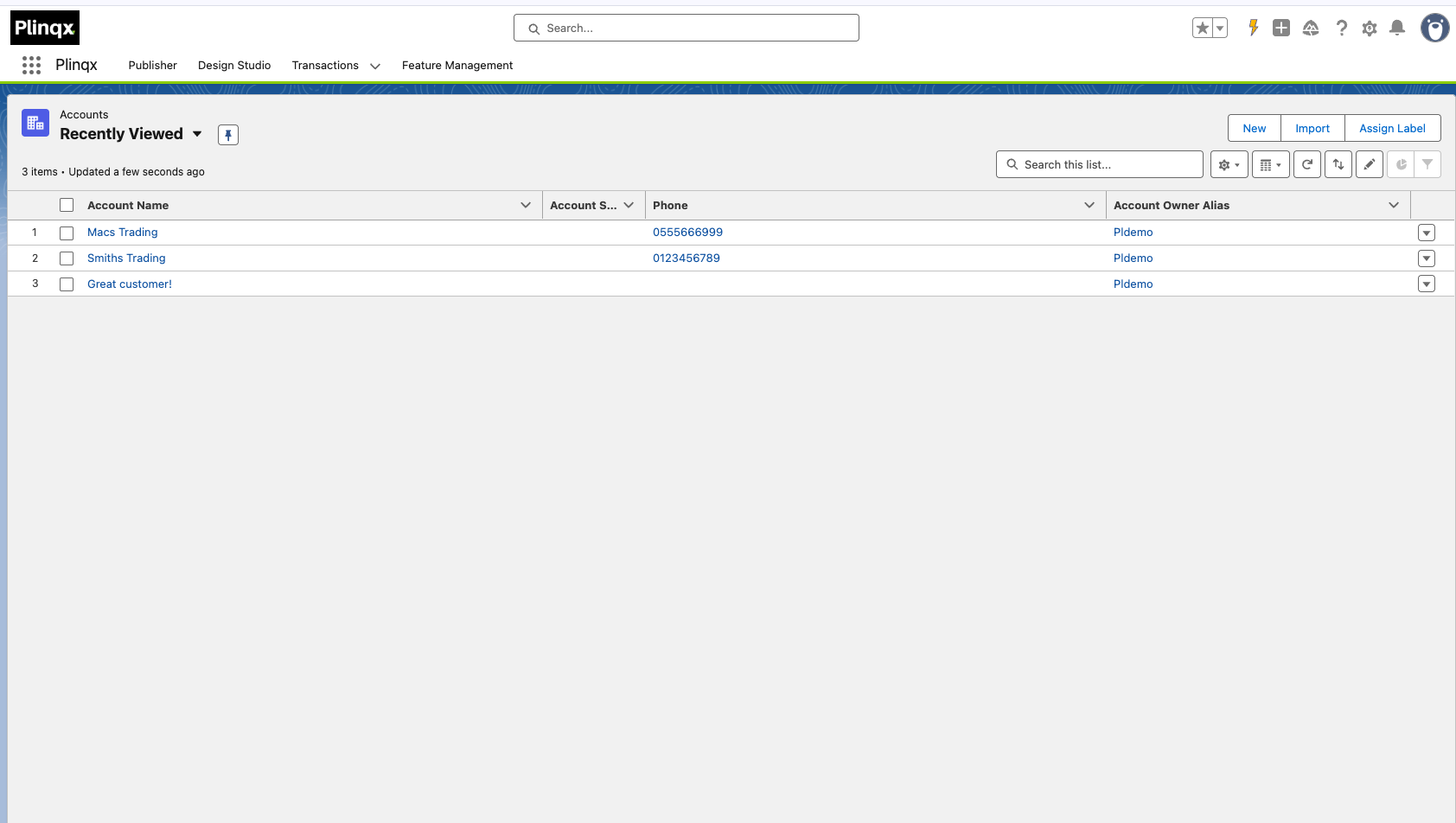
Step 13: Inspect Transaction Records
Procedure
- Navigate to the Transactions tab in Plinqx.
- Open the transaction record to inspect the payload and response.
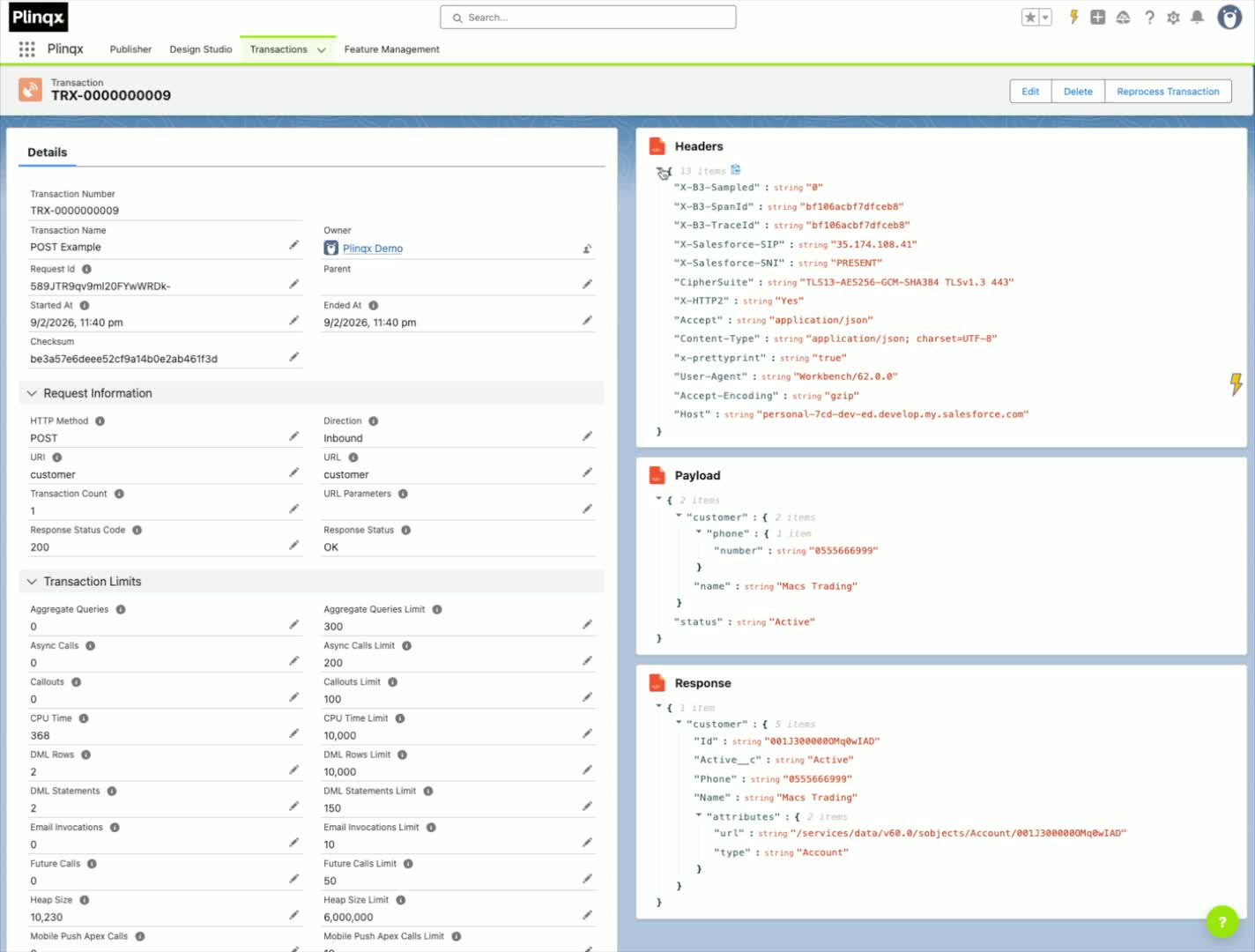
Cautionary notes
- Ensure the API is activated before testing.
- Double-check the JSON structure to avoid parsing errors.
Tips for efficiency
- Use descriptive names for variables and endpoints for easier identification.
- Regularly test the API after making changes to ensure functionality.