Plinqx Publisher Outbound APIs
Available: Base
Overview
Plinqx Publisher - Outbound APIs enables Salesforce to call external systems (HTTP APIs) from a Plinqx-driven automation - typically a Salesforce Flow (record-triggered, scheduled, or invoked).
In Publisher, outbound endpoints are listed and versioned, and each endpoint exposes action-call configuration (method, endpoint path, named credential, request body, headers, parameters, etc.).
Prerequisites
Before configuring Outbound APIs, ensure you have:
- Access to the Plinqx app in Salesforce.
- The required permissions to:
- View the Publisher tab
- Create/maintain Named Credentials (if used for authentication)
- Create/activate Salesforce Flows
- The destination system details:
- Base URL / host
- Authentication method (API key / OAuth / basic auth, etc.)
- Required headers
- Expected request/response payloads
Open Publisher and switch to Outbound
- From the Salesforce App Launcher, open Plinqx.
- Select the Publisher tab.
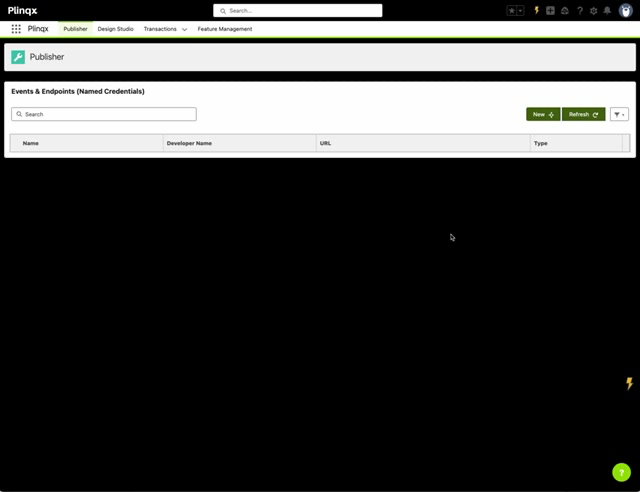
- In Events and Endpoints, open the direction selector and choose Outbound.
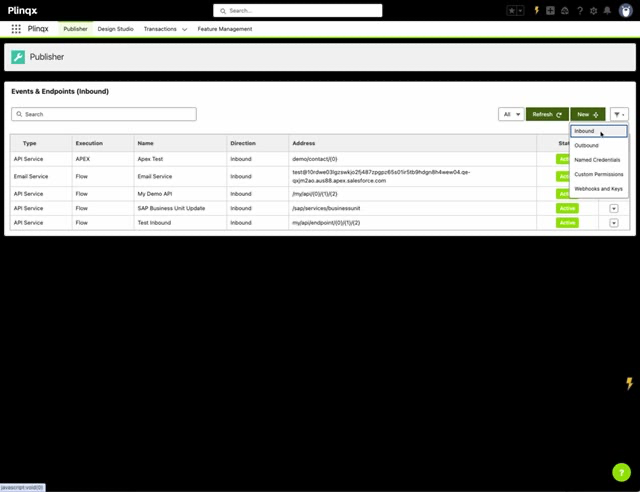
You'll now be viewing Events and Endpoints (Outbound).
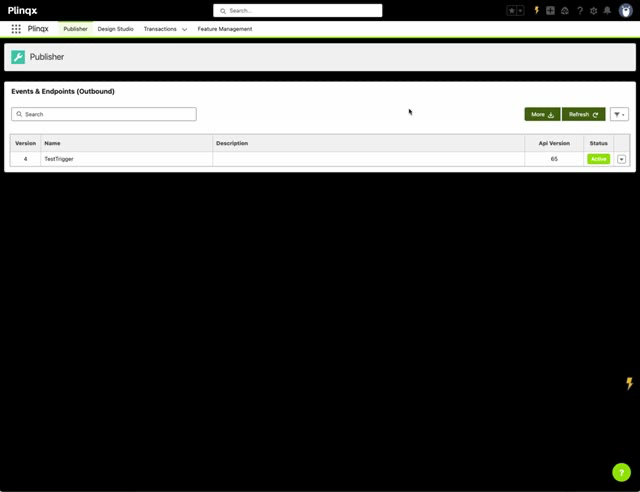
Find and select an Outbound endpoint
Search
Use the Search field to filter endpoints by name.
Select an endpoint
Click an endpoint row to display details in the right-hand panel (example: TestTrigger).
Understand the Outbound endpoint details panel
When you select an outbound endpoint, the right-hand panel provides:
- Description (what the endpoint is for)
- Details
- API Version (Salesforce API version the endpoint/automation uses)
- Last Modified date
- Action Calls
- A structured list of the individual actions that make up the outbound process (e.g., "Get Account JSON", "Transform Account", "Send It")
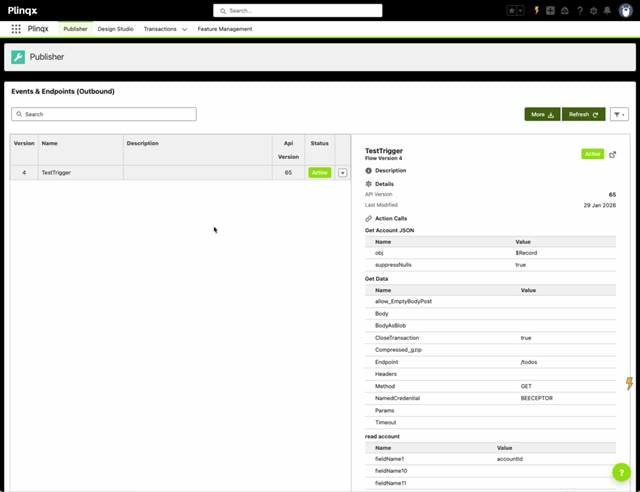
Action Calls: what to look for
Action Calls describe how Salesforce will call out and what data it will send.
Common configuration fields you'll see include:
- Method (GET/POST/etc.)
- Endpoint (path appended to your base URL, configured in your Named Credential)
- NamedCredential (always required)
- Headers (if required by the destination)
- Body (for POST/PUT/PATCH)
- Params (query string parameters)
- Timeout (if configured)
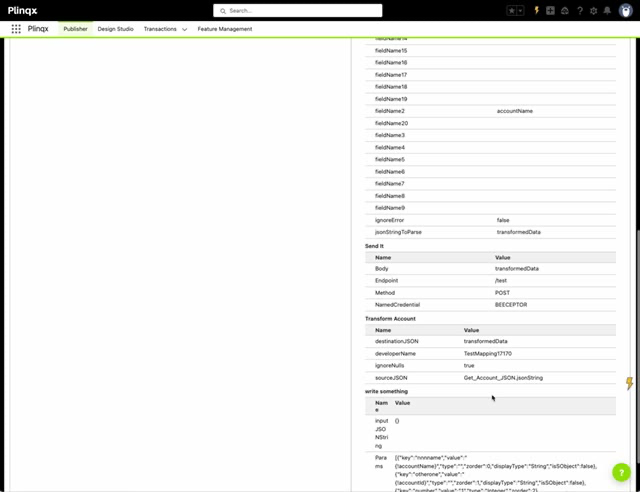
Tip: If you're troubleshooting, the NamedCredential, Method, and Endpoint are usually the first fields to validate.
Configure the automation in Salesforce Flow (typical pattern)
Outbound APIs are commonly driven by a Salesforce Flow. In the example shown, the endpoint is backed by a Record-Triggered Flow on Account.
Typical outbound flow steps
A common pattern is:
- Collect data from Salesforce (e.g., get record fields, query related data)
- Construct JSON (convert fields/records into the required request payload)
- Transform or map data (optional)
- Send the request (HTTP callout via Plinqx action)
- Handle the response
- store result values, update records, log outcomes, etc.
In the example flow, the main steps are visible as actions such as:
- Get Account JSON
- Transform Account
- read account
- write something
- Send It
- Get Data
Versioning and status
Outbound endpoints are versioned (e.g., Version 4) and have a Status (e.g., Active).
Recommendations
- Keep only the current approved version Active.
- When changing outbound behaviour, prefer creating a new version and validating it before activating.
Operational checks and troubleshooting
Outbound endpoint not sending data
Check:
- The Flow is activated and the trigger conditions are met.
- Any Named Credential referenced exists and is valid.
- The endpoint Method and Endpoint path are correct.
- The payload is being populated (Body / JSON variables are not null).
Authentication failures
Check:
- The Named Credential configuration (URL, auth method, certificates if applicable).
- Any required headers (API keys, bearer tokens).
- Whether the destination system is blocking Salesforce IP ranges.
Payload format issues
Check:
- JSON mapping/transformation steps (for example, the "Transform Account" step).
- Required fields are present and correctly named (case sensitivity matters in many APIs).